
On the App Store
Know what you
actually make.
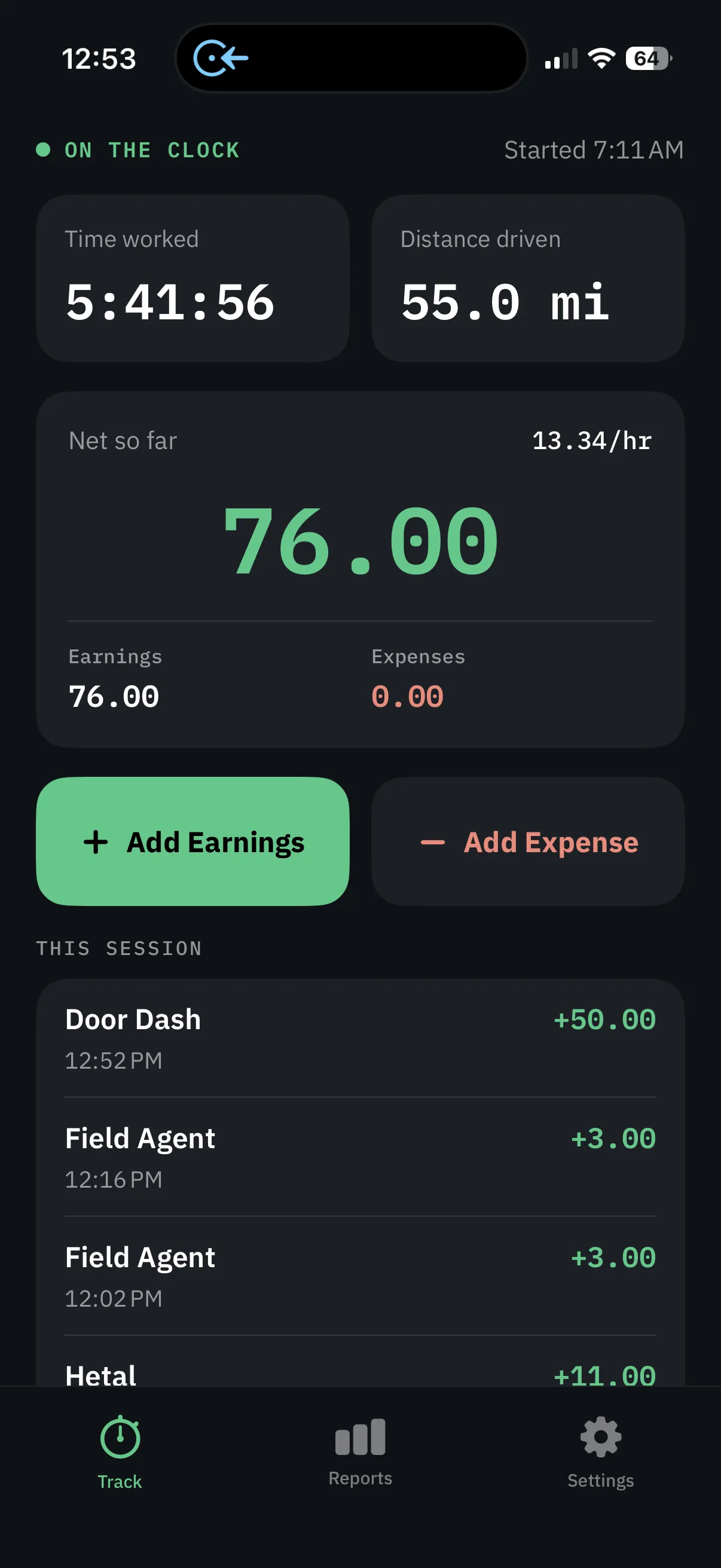
GigMeter is an iPhone app that tracks mileage, earnings, and expenses across every gig you run. Clock in, log what you earn and spend, and see your real take-home per hour while you work.
Free to download. 14-day free trial on monthly and yearly GigMeter Pro. Cancel anytime.
How a shift works
Clock in. Log the money. See what you keep.
-
Clock In
Start the session when work starts. Time and GPS miles run only while you are on the clock and not paused.
-
Log pay and costs
Add payouts from any gig app, plus parking, tolls, and other expenses. Optional auto gas from your vehicle’s MPG.
-
Clock Out
Net sits at the top of the summary, with net per hour for the hours you actually worked.
What it does
Everything a shift costs you, and everything it pays
One clock-in keeps time, miles, payouts, and expenses together so you can see take-home before you take the next job.
Track your work time with Clock In and Clock Out
Pick your vehicle to auto-track miles and estimated gas
Add earnings from any gig app
Add parking, tolls, and other expenses
See gross earnings and net profit
See your real hourly rate as you work
View and export reports by day, week, month, and year
Edit or remove past earnings and expenses
Net, not gross
The number on the payout screen isn't what you made
Gas, parking, and tolls come off. GigMeter puts what you actually keep at the top of every session, and divides it by the hours you actually worked. Save your vehicle and it estimates gas from the miles you drive.
- Gross
- 142.00
- Expenses
- −32.00
- Net · 21.15/hr
- 110.00
Guides
Mileage, pay, gas, and taxes for multi-app work
What to track on a shift, and how GigMeter records it on iPhone.
-
Best Mileage Tracking App for Gig Workers
What to look for in a mileage app when you run more than one gig: time, miles, earnings, and expenses in one place. GigMeter is on the App Store for iPhone.
-
How to Calculate Your Real Hourly Rate from Gig Work
Gross payout is not take-home. How to get net per hour after gas, parking, and time, including paused time. What GigMeter shows live on a shift.
-
IRS Mileage Deduction for Gig Workers (2026)
2026 IRS standard mileage rates, what counts as work miles, and why GigMeter stores distance as a record instead of applying a tax deduction.
-
How to Track Income Across Multiple Gig Apps
Uber, DoorDash, Instacart, and mystery-shop apps do not add themselves up. How to keep one earnings record, and what GigMeter does and does not import.
-
Automatic vs Manual Mileage Tracking for Gig Work
GPS while you are clocked in versus typing miles later. How to start, what IRS logs usually need, and how GigMeter counts distance.
-
Mileage Tracking for Gig Workers: FAQ
Short answers to the questions gig workers ask about miles, taxes, GPS, privacy, hourly rate, and apps. Links out to the longer GigMeter guides.

Download GigMeter
14-day free trial on monthly and yearly. Clock in on the next shift and see net and net per hour before you take another job.
Download on the App StoreFree to download. 14-day free trial on monthly and yearly GigMeter Pro. Cancel anytime.